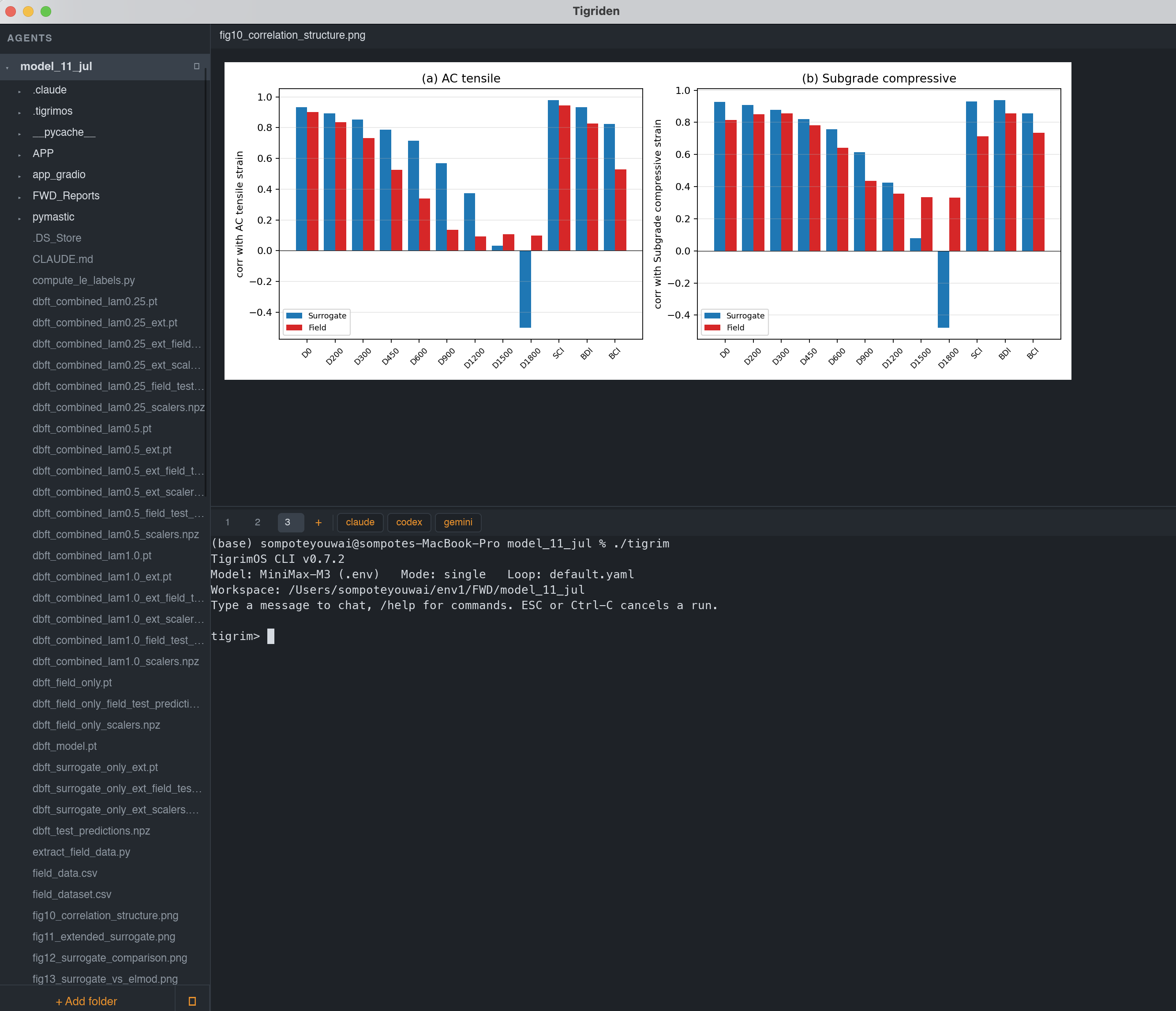
A full IDE is overkill for supervising agents; a bare multiplexer gives you no files and no editor. Tigriden is what's in between: one window, one session per folder, agent + files + editor together.
📦Snapshots stay small 0.2.0
A subtree of 200 MB or more is skipped whole, and so is any single file of 5 MB or more. An 8.1 GB PDF corpus now snapshots to 100 MB. Both limits are settings.
🌐HTML, rendered 0.2.0
An .html file opens in a real WKWebView, so its own CSS, scripts and images load. Or read it typeset, on the same white sheet as Markdown and LaTeX.
⌨️Ctrl on any layout 0.2.0
On a Thai keyboard, Ctrl+O typed Ctrl+ญ and nothing happened. Tigriden now falls back to the Latin layout for Ctrl and ⌘, the way macOS does.
🔤Complex scripts 0.1.9
Thai vowels and tone marks draw where they belong, not dropped. Same path for Lao, Hebrew niqqud, Arabic harakat, and combining accents.
📄Papers, not plain text 0.1.8
A .tex or .md file is set as the page it compiles to — real pagination, two columns for journal classes, and TeX-quality display math.
🔀Change tracking
A live Changes (N) list of every file the agent modified, added, or deleted — with syntax-highlighted diffs and one-click rollback.
🚀One-click agents
Preset buttons launch claude, codex, gemini — or any command — fully configurable.
💻Real terminal
VTE-compliant emulation with a real PTY. vim, top, and the Claude Code TUI just work — truecolor, mouse selection, image paste.
🌲Live file tree
Gitignore-aware, updates as agents create and delete files. Right-click for new file, rename, duplicate, reveal, trash, and more.
✏️Editor & viewers
Syntax highlighting for 40+ languages, plus rendered Markdown, images, CSV tables, and PDF text. Auto-reloads when an agent edits the open file.
🗂️Parallel sessions
Every folder gets its own shell, tree, and open file — plus extra terminal tabs for git or a second agent. Layout restored on relaunch.
📎Drag & drop
Drop files from Finder onto the window to paste their paths straight into the agent prompt. Recent folders reopen from the ⟳ button.
🪟Windows & teams
File ▸ New Window runs independent windows in parallel. Name preset groups as [[teams]] and give each window its own agent buttons.
⚙️Settings in the window 0.1.2
⌘, opens six themes, accent colors, fonts, and scrollback. Every change applies to open windows at once, no restart.
🍎Native & tiny
Pure Rust — no Electron, no webview, no C regex libraries. A real macOS menu bar routed to the focused pane.